Master Your Year with a Creative Calendar Planner Template
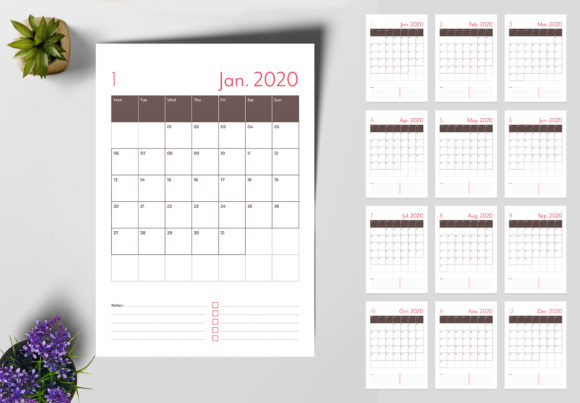
Staring down a blank page when planning your year can feel like a chore. You know the content is important—whether it’s for your family, your team, or your audience—but the design often feels like an afterthought. A generic grid just doesn’t inspire you to stay organized. That’s where the right design asset comes in, transforming a simple scheduling tool into a statement piece. This is the power of a well-crafted Calendar Planner and Wall Calendar Creative Template. It’s more than just dates on a page; it’s a 13-page system designed for clarity, creativity, and effortless customization.
Beyond the Grid: Design that Speaks Your Brand's Language
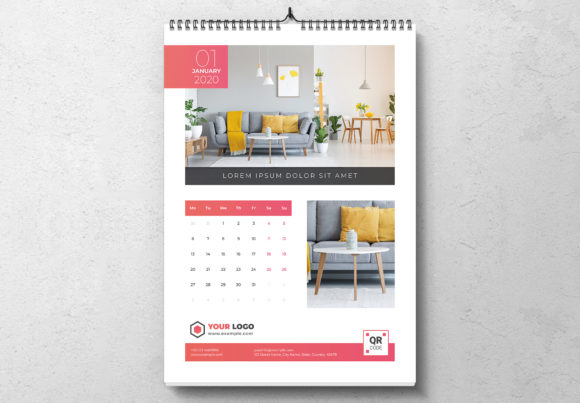
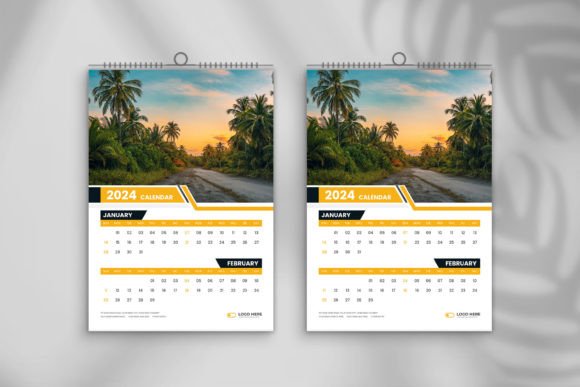
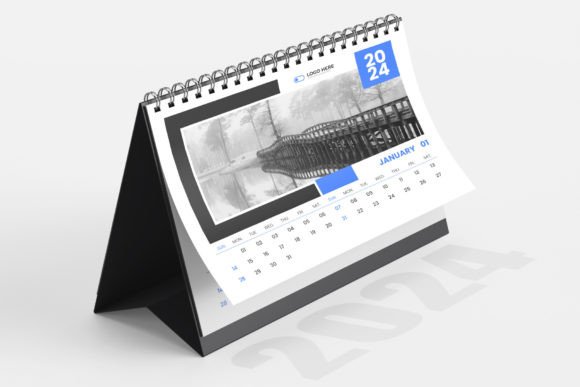
Forget the rigid, uninspired layouts of basic calendars. This template is built with the creative professional and the meticulous planner in mind. The design personality strikes a balance between modern typography and functional elegance. Clean lines and ample white space ensure your plans are the focus, while thoughtful design elements add a layer of sophistication. It doesn’t scream for attention; it commands it through quiet confidence. The overall appeal is one of organized creativity—a tool that feels as polished as the work you put into the world.
The true strength lies in its adaptability. As a layered document, every component is accessible. Need to adjust the hierarchy of a month’s heading? Easy. Want to swap a placeholder shape for your own logo? The structure is ready for it. This isn’t a static PDF you’re stuck with. The inclusion of Character and Paragraph Styles is a game-changer for efficiency. You define your typographic rules once—the font for your main headers, the size for day numbers, the leading for event descriptions—and apply them with a single click as you type. This ensures absolute consistency across all 13 pages, which is the bedrock of professional brand identity and editorial design.
A Practical Toolkit for Diverse Projects
So, where does this calendar template truly shine? Its applications span far beyond a personal wall hanging. Think of it as a foundational design asset with multiple lives.
- For Small Business Owners & Entrepreneurs: Create a branded yearly planner to give to clients. It’s a tangible piece of marketing that stays on their wall all year, reinforcing your professionalism and keeping you top-of-mind. The CMYK colors and 300 DPI resolution guarantee a crisp, vibrant print, while the 3mm bleeds ensure perfect edges at any commercial printer.
- For Marketers & Content Creators: Visualize your annual campaign schedule, product launch timelines, or content calendar in a format that’s both beautiful and functional. The A3 size provides ample space for complex planning, and the ability to change the color of all pages with one click using Swatches allows you to match it to any campaign palette instantly.
- For Designers & Agencies: Use it as a client deliverable or a premium freebie for your audience. The fully editable nature means you can tailor it precisely to a client’s brand guidelines, swapping fonts, colors, and imagery to create a custom product in minutes, not hours. The compatibility with Adobe InDesign from CS4 to CC and the included IDML file ensure it works seamlessly with your existing workflow.
- For Bloggers, Publishers & Hobbyists: Plan your editorial year, track personal goals, or design a custom gift for a loved one. The template removes the technical barriers, allowing you to focus on the content and personal touches that matter. It’s a perfect bridge between personal and commercial use.
Making It Yours: A Guide to Effortless Customization
Getting started is intuitive. The template is designed to be friendly, not intimidating. Here’s how to approach it for the best results:
- Establish Your Foundation: Before diving into dates, open the Swatches panel. This is your command center for color. Select your primary brand color and update the main swatch. Watch as the entire document transforms, giving you an instant preview of your branded calendar. This one-click change color feature saves an incredible amount of time.
- Tame Your Typography: Navigate to your Paragraph and Character Styles. Review the pre-built styles. They’re logically named (e.g., "Month Header," "Day Number," "Notes"). Edit these styles to reflect your chosen typeface—whether it’s a strong sans serif font for headers or a readable serif for body text. Remember, good font pairing is about contrast and harmony. A bold display font for the month names paired with a clean, legible font for the day details creates excellent visual hierarchy.
- Populate with Purpose: Now, simply click into the text frames and start typing. As you type, apply your saved styles. This single action ensures every month, every note, and every heading is formatted perfectly, maintaining readability and a clean, professional look. Don’t just list dates; use the notes sections for motivational quotes, key reminders, or thematic content that aligns with your project’s goal.
- Final Review and Export: Zoom in on your design. Check for text alignment, ensure images are high-resolution, and verify that all critical information sits within the safe area, away from the 3mm bleeds. Once satisfied, you have multiple export options: print-ready PDF, a packaged InDesign file for future edits, or even high-resolution JPGs for digital use in social media graphics or as a digital wallpaper.
This Calendar Planner template is a testament to how smart design can streamline your workflow and elevate your output. It’s a practical, premium font-compatible system that respects your time and empowers your creativity, proving that the tools we use to plan our work are just as important as the work itself.